看了網路上的範例,看完似懂非懂,親自做了一遍終於了解了初步動畫的製作方式。
網路上是拿TRectangle 方形,搭配TFloatAnimation達成動畫目標
下圖是範例,按下Go,則產生旋轉的方塊。
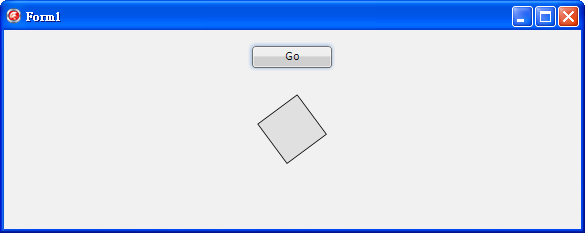
程式碼
procedure TForm1.Button1Click(Sender: TObject);
var
  rect: TRectangle;   //uses FMX.Objects
begin
  rect := TRectangle.Create(Self);
  rect.Parent := Self;
  rect.Align := TAlignLayout.alCenter;

  with TFloatAnimation.Create(Self) do    //uses FMX.Ani
  begin
    Parent := rect;  //指定上一層為rect
    PropertyName := 'RotationAngle';  //動畫的種類(依名稱不同而有不同種類的動畫)
    Enabled := True;
    Loop := True;
    Duration := 2.5;   //持續期間(值越小轉越快,越大越慢)
    StartValue := 0;   //動畫起始值
    StopValue := 360;  //動畫截止值
  end;
end;
參考網址:
http://www.cnblogs.com/del/archive/2011/09/26/2191603.html
http://www.rudabet.com/blog/2011/09/using-animations-in-firemonkey/

請先 登入 以發表留言。